Español
OnlyFans Cover Photo Tips: How to Make The Best Banner
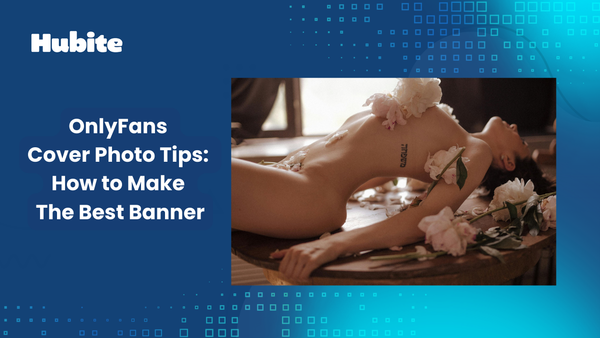
Creating the perfect OnlyFans cover photo is like designing your own personal billboard. It’s your first impression, and as you know, you never get a second chance at first impressions!
A professional, eye-catching banner can be the difference between gaining a subscriber or being ignored entirely.
Amazingly, many beginners miss out on potential fans simply because their banner screams "rushed job." Don’t fall into that trap!
Let's see how you can make the best OnlyFans cover photo with these simple tips.
What is a cover photo on OnlyFans?
Just like on Facebook or Twitter, your OnlyFans cover photo is a big deal, but here it's also called a "banner photo." This is the large image that sits prominently behind your profile picture. Think of it as the grand welcome mat for anyone checking out your profile. It’s there to offer a tantalizing preview of what subscribers can expect to get.
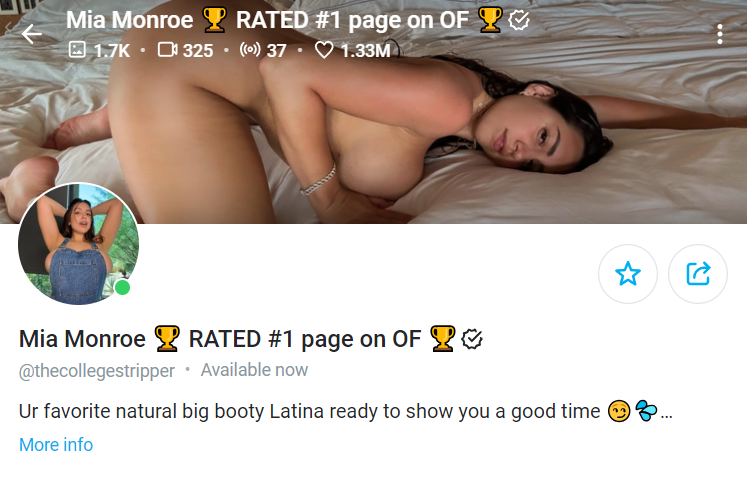
The cover photo has to be 1168 x 204 pixels, and yes, it’s a bit of a hassle to nail those exact dimensions, but trust me, it’s worth it. When done right, it packs a punch and can make all the difference in snagging new subscribers.
Why is OnlyFans cover very important?
Think of it like going to a hotel for your vacation. If the front desk staff isn't helpful, the room is dark and smells weird, and the bed sheets are dirty, would you consider that hotel a luxury brand?
Similarly, your cover photo is the front door to your business. It sets the tone for what comes next and tells potential subscribers what to expect. If it looks rushed or messy, don't expect people to treat you like a top-tier creator.
So, how does it actually help?
- Sales Funnel:
Your cover photo is the last visual element potential subscribers see before deciding to hit that subscribe button. It's your final chance to build excitement and anticipation for the content they'll get once they join. Make it compelling enough to convert curious browsers into paying followers.
- Branding:
Consistency is key. Using a signature style for your cover photo and other images across various platforms helps people recognize and remember you. Establishing a cohesive look reinforces your OnlyFans brand, making it easier for fans to follow and engage with you.
- Positive Vibes:
Your subscribers are looking for a positive escape from their daily lives. A cheerful, uplifting cover photo can set a positive tone and make your profile a source of entertainment and joy. This emotional connection can keep fans coming back for more.
- Preview of What You Offer:
Potential followers have probably seen your content on social media prior to subscribing. Use your cover photo to give them a taste of what they can expect behind the paywall. Include elements that hint at exclusive content or show your unique selling point.
Specifications for OnlyFans Covers
Before we get into the fun stuff, let’s talk about the nuts and bolts. After all, nothing's worse than designing a stellar cover only to find it won’t fit or uploads all weird. So, let’s make sure you nail the technical details from the get-go.
Dimensions for OnlyFans banners
OnlyFans recommends an ideal size of 1168 x 204 pixels for desktop, but remember, it gets cropped to 414 x 180 for mobile.
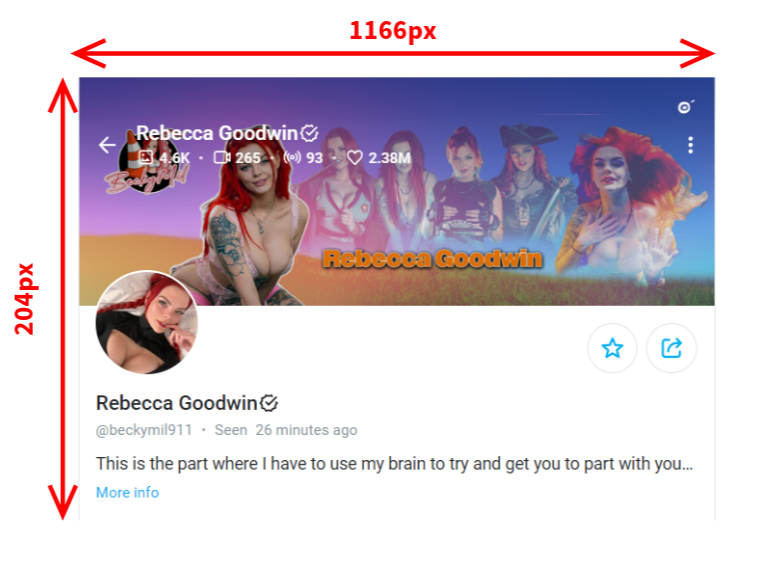
Keep the main focus central, so nothing essential gets cut off. Stick to these dimensions to ensure your cover photo looks flawless and professional on any device, giving potential subscribers the best first impression.
Aspect ratio for OnlyFans banners
For the best results, use an aspect ratio of 5.73:1. This ensures your banner looks great on both desktops and mobile devices.
Remember, your banner gets cropped on mobile, so keep the focal point centrally located. That way, no important details get lost. Think of it like framing a photo—center your key visuals to make sure they shine through.
Format for OnlyFans banners
For the best results, use JPEG or PNG as the file format. High resolution is a must; anything less will look blurry.
Also, keep in mind that the maximum file size is 10 MB. This gives you plenty of room to use a high-quality image, ensuring your banner looks crisp and professional.
Text on OnlyFans banners?
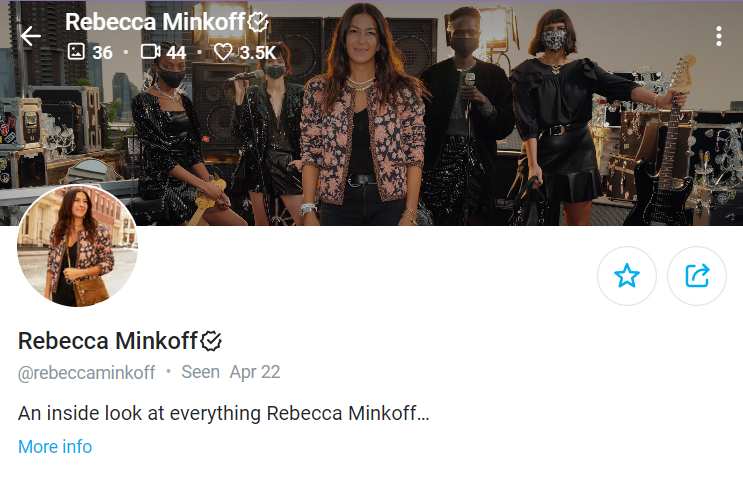
Avoid adding text to your OnlyFans banner. The platform automatically overlays your username, brand name, and profile picture on the banner. This makes adding personal text tricky, as it often gets hidden or cropped out.
If you must include text or a logo, keep it centrally located. This ensures it won’t be covered by the profile picture or get lost when the banner is cropped for mobile devices.
OnlyFans banners for mobile
When designing for mobile, remember that your banner gets cropped on the sides. Focus on keeping important elements in the center. Always check how your banner looks in preview mode before going live.
Tips for Choosing OnlyFans Cover Photo
Let's move on to the fun part—choosing a cover photo that captures attention and represents you. Here are some tips:
Your niche
Your cover photo needs to scream what you're all about. Are you a fitness OnlyFans guru? Show off in your workout gear or a killer pose. Into cosplay on OnlyFans? Flaunt your best costume or recreate a famous scene. Got a specific fetish or fantasy? Include relevant imagery or props to give a sneak peek. Potential fans should know immediately what to expect from your page.
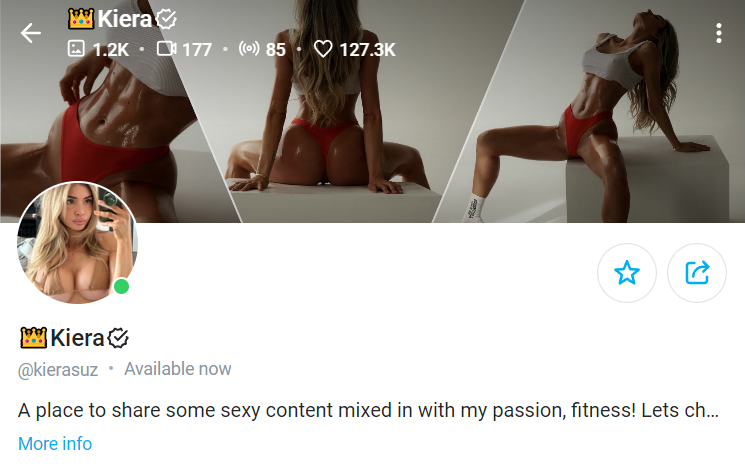
Your face
Show your face! It builds trust and makes you relatable to potential subscribers. They want to know you're a real person. A welcoming, genuine smile or a confident glance can significantly boost your appeal. Remember, authenticity wins; people are more likely to subscribe to someone they feel they can connect with.
Quality matters
Investing time and perhaps some money into creating a top-notch cover photo can make a world of difference. If your budget allows, hire a professional photographer to capture your best angles and represent your brand accurately. They know how to get the perfect shot.
You can also check out our guide on what kind of equipment you need on OnlyFans, so you can do it yourself.
No budget for a pro? That's okay! Use editing OnlyFans tools to enhance shots, even from your phone. Experiment with filters, adjustments, and retouching.
Your cover photo is your first impression—make it count with bright, positive colors and a neat background.
Personalize it
Once you’ve nailed the quality of your OnlyFans cover photo, it’s time to add some pizzazz. Think about incorporating unique graphics, vibrant colors, or branding elements that reflect your personality and niche. These touches make your profile memorable and amplify your personal brand.
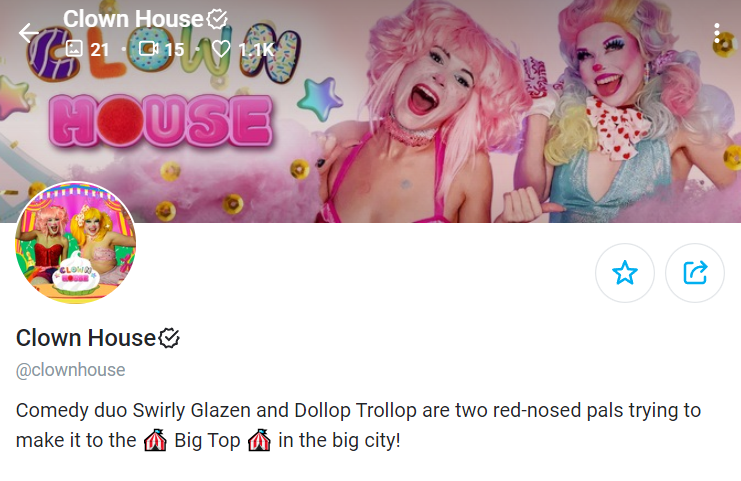
Match the style, colors, and theme for a seamless appearance. For example, if your cover photo has bright, bold colors, opt for a profile picture that mirrors those tones. Use similar props or settings to maintain consistency.
This unified look makes your profile more visually appealing and professional, increasing the chances of converting visitors into subscribers.
Avoid group photos
Stick to solo OnlyFans shots. Group photos can confuse potential subscribers and divert attention away from you. If you're an adult content creator, your fans want to connect with you specifically. Make sure you’re the focus and keep others out of the frame to avoid any mix-ups that might deter new followers.
Final thoughts
You don't need a state-of-the-art camera to create a high-quality OnlyFans cover photo. Work with what you have and focus on capturing the best possible image that showcases your content.
Consistency is key—use the same images across platforms like Facebook, Twitter, Instagram, and TikTok to build a cohesive brand. Just keep it tasteful to avoid platform restrictions.
Your profile and cover photos are your first impression, so make them count. Edit for clarity, adjust lighting, and ensure they reflect the essence of your niche.
Frequently Asked Questions
What should my OnlyFans cover photo be?
Your OnlyFans cover photo should be a high-quality JPEG or PNG with an aspect ratio of 5.73:1. For PC, use dimensions of 1168x204 pixels, and for mobile, 414x180 pixels.
What is a good OnlyFans cover photo?
A good OnlyFans cover photo is clear and not obscured by profile information. Ensure the photo aligns with your banner, uses vibrant colors, and keeps key elements visible. Cohesion and clarity are essential for a professional appearance.
Can I include text in my OnlyFans cover photo?
Yes, you can include text in your OnlyFans cover photo, but keep it minimal and strategically placed. To prevent your profile picture from cropping or obscuring any text, make sure it is centrally located. Use clear and legible fonts, and maintain alignment with your overall branding.
What tools can I use to edit my OnlyFans cover photo?
Various tools can help you edit your OnlyFans cover photo effectively. Free tools like Canva and GIMP offer powerful features for designing and editing images. For more advanced editing, consider using Adobe Photoshop or Lightroom. Even mobile apps like VSCO and Snapseed can enhance your photos.
How often should I change my Onlyfans cover photo?
Feel free to revamp your OnlyFans cover photo whenever you feel like it. If you change your aesthetic, branding, or genre, update it. For important announcements, weekly changes are fine. Consistency helps viewers recognize your brand, so avoid daily changes.
Can I use stock images instead of my own?
If you don't want to use your own photos, stock images are an option. However, using original content can increase personalization and make you stand out from other creators.