Español
Managing Messages on WhatsApp as a Creator
You’re already outstanding at creating content, but have you tapped into WhatsApp's unparalleled power to solidify connections with your fans?
With staggering engagement statistics, WhatsApp is the ultimate platform for creators like you to try to foster deeper relationships. You can send tailored messages that resonate with your audience, share exclusive content, and even conduct polls or surveys to get direct feedback from your fans.
And these are just some of the many ways WhatsApp can help you better engage with your fans. Let's see some more!
Your Privacy Comes First
Before we dive into the nitty-gritty of messaging with your fans on WhatsApp, it’s important to note that your privacy always comes first.
WhatsApp offers end-to-end encryption, ensuring that only you and the recipient can read the messages being sent. This is especially important for creators who may want to share personal information or exclusive content with their fans.
Here’s how to personalize your settings:
- Go to Settings:
- Android: Tap the three vertical dots in the upper right corner, then select "Settings," followed by "Account" and "Privacy."
- iPhone: Navigate through "Settings," then "Account" and "Privacy."
- Desktop: Click on the menu icon, then go to "Settings," followed by "Privacy."
- Customize Visibility:
- Last Seen: Choose who can see when you were last online. Remember, if you disable this, you won’t see others’ “last seen” either.
- Profile Photo & About Info: Limit this to “My Contacts” to keep your profile more private.
- Status Updates: Set it to “My Contacts” so only your trusted circle sees your updates.
- Group Settings: Change who can add you to groups; opt for “My Contacts” to avoid unwanted invasions.
Being selective about what you share not only protects your personal life but strengthens your brand’s integrity. After all, your connections should feel exclusive!
Turn Off Read Receipts
If you value your privacy, consider turning off read receipts. While this means your contacts won't know when you've read their messages, it also applies to messages you send. Here’s how to toggle it:
- Go to Settings.
- Click on Account, then Privacy.
- Toggle Read Receipts off.
Just remember, this only works for individual chats—not group chats or voice messages.
Want to keep that air of mystery? Use high-priority notifications to read messages without entering the app. Here’s how:
- Open Settings.
- Tap on Notifications.
- Toggle on Use High Priority Notifications.
This lets you preview messages without alerting senders that you’ve read them. It’s an easy way to stay engaged while maintaining some distance!
Disappearing Messages
This feature automatically deletes your messages after a chosen period—24 hours, 7 days, or 90 days. It’s perfect for direct conversations where you don't want follow-ups lingering.
Just tap into the chat settings for any specific convo and enable it.
Just a heads up: message previews will still show in notifications until opened, so tread carefully!
Star Messages
Navigating multiple conversations can get chaotic, right? Star (bookmark) important messages for easy access later. Here’s how:
- Find the message you want to bookmark.
- Tap and hold the message box to select additional ones.
- Click the star icon in the action bar at the top.
To view your starred messages, tap the contact’s name and select “Starred Messages.” You can easily sift through or search your starred items.
Want to remove one? Just hover over it, click the menu bar, and hit “Unstar Message.” It’s that simple!
Search Chat History
Looking for a specific message but can’t find it? The search feature on WhatsApp is your lifesaver! Here’s how to use it effectively:
- Open WhatsApp and head to the chat screen.
- Click on the search icon at the top.
- Enter the keyword(s) related to your conversation.
- Browse the relevant results and tap on what you need.
Want to narrow it down to media? Just use the filters! This will save you time and keep your interactions smooth.
Check Who's Read Your Group Messages
Staying engaged with your active groups is key, and knowing who’s read your messages can boost your interaction. Here’s how to check reads:
- Open your group chat.
- Tap and hold the message you want to check.
- Hit the “information” button.
This shows you whether your message was delivered, read, or played. Just remember, you'll only see this for members who haven’t turned off read receipts!
Monitor Your Data and Storage Usage
Monitoring your data and storage on WhatsApp is crucial, especially if you're on a tight mobile data plan. Here’s how to keep it all in check:
- Go to Settings > Storage and Data for an overview.
- Use Manage Storage to clear out bulky files you don’t need.
- Check your Network Usage for a detailed breakdown—this insight can help optimize your consumption.
- Toggle Use Less Data for Calls to save those precious megabytes.
- Adjust your Media Auto-Download settings to prevent unexpected storage fills.
Disable Automatic Media Download
Your phone’s gallery shouldn’t be a dumping ground for WhatsApp media. Stop automatic downloads and save yourself from the frustrating drawer dive. Here’s how:
- Navigate to Settings > Storage and Data.
- Under Media Auto-Download, you’ll see options for:
- When using mobile data
- When connected to Wi-Fi
- When roaming
Customize what you want to be downloaded for each mode—photos, audio, videos, or documents. This little tweak not only frees up space but makes your gallery way more manageable.
Sync WhatsApp With Your PC
Switching to your computer can make those long chats a breeze! Here’s how to sync your WhatsApp:
- Choose Your Platform: Decide between WhatsApp Web or download the WhatsApp Desktop app.
- Open WhatsApp on Your Phone: Tap “Menu” and select “Linked Devices.”
- Scan the QR Code: Use your phone’s camera to scan the code on your computer screen.

With these tools and tricks, you can control your privacy, streamline your messaging experience, and keep track of important conversations.
If you want to take it to the next level and start monetizing your WhatsApp presence, you should definitely consider using Fanblast.
Fanblast: Turn WhatsApp Chats into Cash
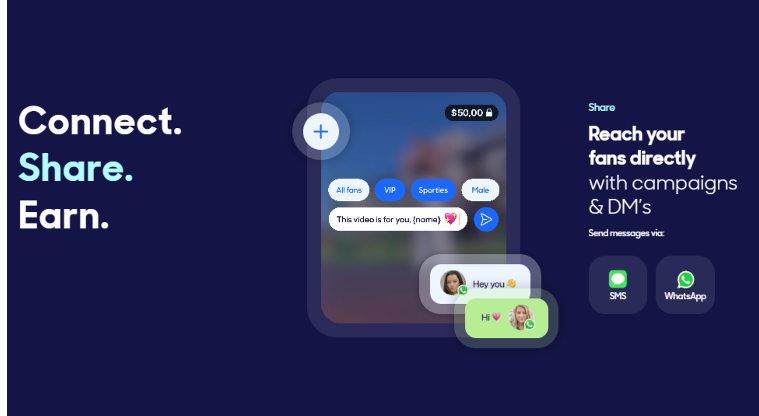
Fanblast lets you monetize your conversations with fans through WhatsApp and SMS. They give you your unique Fanblast number, which allows you to connect directly with your superfan community.
You can easily share campaigns, engage in one-on-one chats, and send multimedia files. Whether it's pay-to-view content or subscription plans, you can sell videos, photos, music, and merchandise effortlessly.
Remember, while explicit content isn't allowed, anything you'd typically share on Instagram can go on Fanblast.
To get started, you'll need to be 18 years old and have at least 10,000 social media followers.