Español
Most Common OnlyFans Scams to Look Out for
You've worked hard to build your brand, so let's make sure you hold onto everything you've earned. Scammers are lurking, but with some savvy tips, you can keep your account safe and your wallet intact.
Stick with us to learn how you can safeguard your identity and keep your financial information in your hands—where it belongs!
#1. Accidental Payment
Picture this: you're notified of a generous tip, let's say $200, which seems great until the sender reaches out, claiming it was a mistake. They ask you to refund $100 via Cash App, promising you can still keep a good portion. Sounds tempting, right?
But here's the catch—they'll likely initiate a chargeback on the original $200 after you’ve sent back the $100.
Boom! You're out both amounts.
So, what do you do? If someone says they've sent too much, your best move is to direct them to OnlyFans for a resolution. Always let the platform handle financial discrepancies. Keep the ball in your court!
#2 Page Management
When someone offers to manage your OnlyFans page for a fee, it might sound like a sweet deal that lets you focus on content creation while they handle the boring stuff. But be cautious—these offers might just be another scam.
Imagine someone showing you so-called "success stories" with impressive earnings, but these are often linked to fake accounts or even non-existent OnlyFans pages. Always do your homework and verify their claims directly on the platform.
And a golden rule: never, ever hand over your password or any sensitive info. If someone else has access to your account, they can lock you out and siphon your hard-earned cash. It's like giving keys to your house to a stranger—just don’t do it!
#3. Personalized Content
This scam is a sneaky one—someone requests custom work, promising a handsome payment, but then pulls a chargeback, leaving you high and dry.
Now, here's what you need to know: Trust is key! Only offer personalized content to users you know well and who have proven to be reliable with past transactions. If someone new insists on personalization, keep the content generic enough to be repurposed.
For personalized requests, communicate a clear timeframe for delivery, typically a week, to give chargebacks a chance to clear.
#4. Promos
Promo scams are more common than you'd think. You might get an offer that sounds too good to pass up: a stranger promises they'll boost your OnlyFans following through "popular" social media accounts for a small fee.
These accounts usually crawl with fake fans and bots. Now, I know gaining followers is important, but spending your hard-earned cash on phantom viewers won't fill your bank account or expand your genuine fanbase.
If you're considering third-party promotion, choose partners with real, organic traffic. CreatorTraffic, for example, is a very good choice that is trusted by many. They boost your profile organically, targeting only the most relevant audience and providing detailed analytics to track your growth. Give them a try.
If you want to go solo promotion, there are dozens of sites that promote OnlyFans accounts for free. ModelSearcher.com, for example, is designed specifically for creators to promote their OnlyFans. It's like an NSFW social media, where you post whatever you post on your OnlyFans and just place the OF link in your profile for everyone to see.
Check out our guide on ModelSearcher for more.
#5. Collaborations
These aren't super common, but they can be seriously dangerous. Picture this: a "creator" reaches out, seemingly eager to make amazing content together.
But hold up! This could be social catfishing in disguise. They might be out for more than just content, risking your personal safety.
The key? Due diligence! Only collaborate with OnlyFans creators you know in real life or have a verified track record in the industry. Use reverse image searches to ensure they're legit.
#6. Fake Sex Worker
There’s a new OnlyFans scam lurking—it's the fake sex worker trap. Let’s say someone claims to be a fellow creator and offers a "link for a link" swap to boost your profile.
Sounds friendly, right? But wait! It might not be. Often, these accounts are pure fiction, crafted to siphon off your personal details or account information.
Never share your login credentials. If you get a collab offer, verify their identity first. Dive into Reddit’s r/onlyfansadvice, where fellow creators are vetted for authenticity.
#7. Non-Payment Scams
Some sneaky users will pull out all the stops to nab free content. They'll send enticing messages promising future riches or even claiming they'll bring in new fans for you.
Don't be fooled! Hold your ground. Never send content until you get paid directly through OnlyFans. Ignore those flashy payment screenshots or personal guarantees. It's like fishing—you'll reel in the ones who truly want your content when they pay for it, not before.
Use free trial options wisely, and prioritize the subscribers who are already contributing to your income.
#8. Digital Security
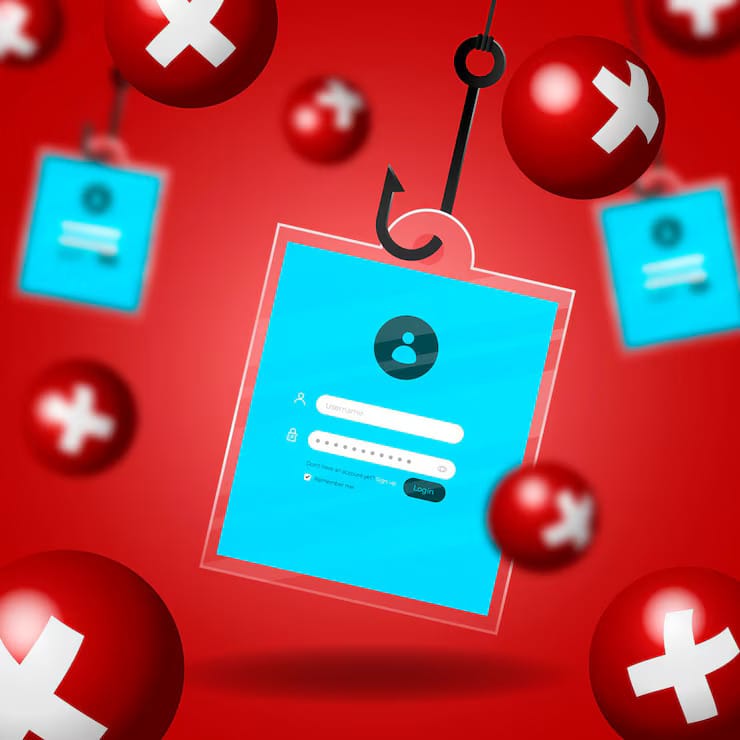
Scammers are getting crafty with digital security scams, promising you a tool or plugin to boost your earnings. But here’s the kicker—these are often phishing traps in disguise. They’re after your info!
If someone messages you, claiming their “app” will skyrocket your income, put your guard up. Avoid clicking on unknown links or downloading software unless it's verified.
Remember, your account and money are yours to protect, just like your online banking. Stay vigilant and always double-check before sharing sensitive information. You're the guardian of your domain!
#9. Time Wasters
Time wasters are like those people who keep chatting endlessly without any intention of actually supporting your work financially. They might be polite, even charming, on social media, yet the moment you direct them towards your OnlyFans link or mention payment, they either vanish or become confrontational.
Don't fall into their trap! Protect your time and energy by quickly steering any chit-chat towards your paid accounts. Make sure you're reminding them that additional content and conversations are exclusive to subscribers.
It's not about being harsh; it's about valuing what you create and ensuring those who truly appreciate your work are supporting it.
What to Do If You’re Scammed on OnlyFans?
So, you’ve faced or fear the nasty sting of a scam? You're not alone, and you're certainly not powerless.
First things first, immediately block anyone who raises your suspicions. Locking them out is your first line of defense. Next up, to keep your personal haven secure, change your password. A fresh, strong password can do wonders in keeping the bad actors at bay.
Report the incident to OnlyFans. Sure, we know they can be slow or even side with users more often than not, but it’s crucial to have your case documented. Check out Reddit if someone else had a similar experience and how they dealt with it; the r/OnlyFansAdvice subreddit is brimming with folks who've been in your shoes.
Be proactive with your interactions. Check, double-check, and then check again anyone who approaches you for collaborative work. A quick online search might reveal their previous work or any glaring red flags. Want to widen your safety net? Don’t isolate yourself—network with other creators to verify someone’s legitimacy.
Remember to maintain a clear boundary—your OnlyFans safety and integrity are paramount. It might sound harsh, but clarity now will spare you heaps of hassle later. Avoid the temptation to scam back, or it’ll backfire faster than you can say "account banned."
Create, connect, and keep it genuine.